
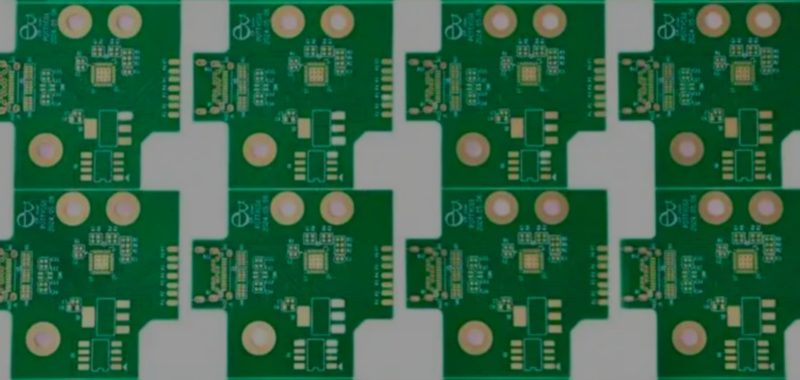
Turning a circuit idea into a manufacturable Printed Circuit Board (PCB) takes more than just drawing some lines in a CAD tool. It requires a bridge between electrical design and physical production. At Fuxin PCBA, we review design files every day, and we often see the same thing: a circuit that works perfectly on a breadboard fails to become a reliable product because the physical board wasn’t planned for manufacturing. This guide breaks down the basics of PCBs — what they are, how they are made, and how to prepare a project for production without getting lost in technical jargon. Whether you need a prototype, a control panel, or a production-ready assembly, the goal is the same: create a board that fits the enclosure, survives the environment, and is easy to assemble.
What Is a Printed Circuit Board and What Does It Do?
A PCB is the physical foundation that connects electronic components through copper pathways. It replaces loose wiring with a structured layout, giving electricity a controlled route between resistors, capacitors, integrated circuits, and connectors. In simple terms, it is the engineered platform that holds and connects the parts of an electronic circuit.
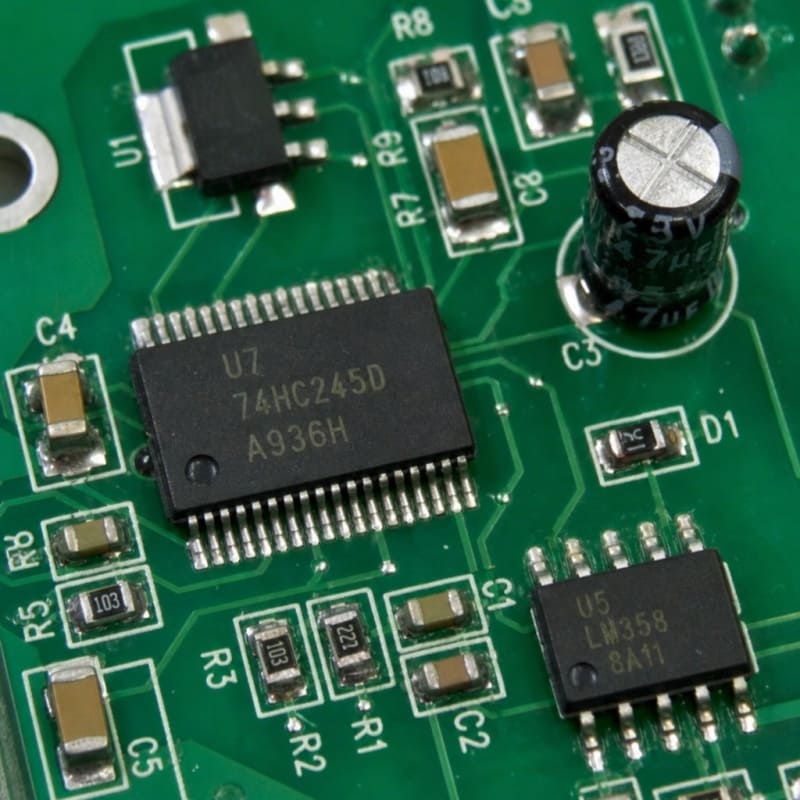
The board itself is built from an insulating substrate material (like FR-4) with conductive copper patterns. Holes, pads, vias, solder mask, and markings help components attach and signals move where they should. A bare board becomes a functional electronic assembly only after component mounting and soldering are complete.
But a circuit board is more than just a carrier for parts. It shapes performance, affects durability, and determines whether assembly is straightforward or a nightmare for the production line. For a compact wearable device, the PCB may need to save every millimeter. For an industrial controller, the priority may be stable connections, serviceability, and strict separation between power and signal areas. If the layout ignores these physical realities, the product will struggle in the real world.
Core Benefits: Why Modern Electronics Rely on PCBs
Why are PCBs essential? Because they make complex electronics repeatable, compact, and easier to assemble. A properly designed board can carry power and signals in a predictable layout while supporting automated manufacturing methods. That consistency is nearly impossible to achieve with hand wiring, especially when a product needs to be built more than once.
A well-planned PCB supports:
Compact product design by arranging components efficiently inside a fixed enclosure.
Reliable electrical connections through defined copper traces and controlled routing.
Repeatable manufacturing because every board follows the exact same design files.
Cleaner assembly with clear component locations, polarity markings, and solder pads.
Easier diagnostics when test points, labels, and logical placement are included.
For example, a sensor module may start as a bench prototype with jumper wires. That setup proves the circuit works, but it’s not ready for a product. A custom PCB turns the same circuit into a compact, mountable, repeatable assembly with connectors and mounting holes designed for the actual use case.
The Main Types of PCBs and How to Choose
Choosing the right PCB type depends on mechanical space, signal complexity, flexibility needs, and cost targets. Different designs solve different problems.
| PCB Type | Best Suited For | Practical Benefit |
|---|---|---|
| Single-sided | Simple circuits, low-density layouts | Cost-conscious and easier to inspect |
| Double-sided | Moderate complexity, compact products | Allows components and traces on both sides |
| Multilayer | Dense circuits, power and signal separation | Supports more connections in less board area |
| Rigid | Devices with fixed shapes and stable enclosures | Durable structure for standard electronics |
| Flexible | Wearables, folding sections, tight spaces | Bends or fits where rigid boards cannot |
| Rigid-flex | Products needing both stable and flexible zones | Reduces connectors and supports complex shapes |
A single-sided board may be ideal for a simple LED controller, while a multilayer design is usually required for a compact communications device. The best choice balances electrical performance, available space, assembly method, and budget.
Design Support: Connecting Engineering With Manufacturing
Good PCB design begins before traces are routed. The project needs clear answers about power, signals, connectors, board outline, mounting points, operating conditions, and component availability.
This is where early engineering review saves money. The electrical designer defines the circuit. The layout designer turns it into a manufacturable board. The mechanical team confirms the board fits the enclosure. The assembly team checks whether components can actually be placed and soldered without interference. Manufacturing review catches spacing issues, drill sizes, and panelization needs before tooling begins.
Useful design inputs include:
Schematic or circuit design files
Required board dimensions and thickness
Connector locations and cable direction
Power input and output requirements
Component list or preferred parts
Environmental considerations (heat, vibration, moisture)
Expected quantity (prototype vs. production)
Any constraints from enclosures or certifications
When these details are addressed early, the layout serves the actual product instead of just fitting the schematic. That’s the difference between a board that works once on a bench and a board that can be assembled and tested consistently.
Materials, Layers, and Component Mounting Choices
Materials and layers are central to both performance and manufacturability. The substrate, copper weight, solder mask, board thickness, surface finish, and layer count all affect how the final board behaves. If those choices are made without considering the application, the board may be harder to assemble or more expensive than necessary.
Component mounting is another major decision. Through-hole mounting is often used when parts need strong mechanical support or when connectors face repeated handling. Surface-mount technology (SMT) supports compact layouts and automated placement, making it standard for modern electronics. Mixed assembly combines both when a board needs small SMT parts plus robust connectors.
Key specification areas to confirm before production:
Board dimensions: outline, cutouts, slots, and mounting holes.
Layer count: single, double, or multilayer structure.
Material type: selected according to electrical and thermal requirements.
Copper requirements: planned around current-carrying needs.
Surface finish: chosen to support solderability (e.g., HASL, ENIG).
Mounting method: through-hole, SMT, or mixed component mounting.
Documentation package: fabrication files, BOM, placement data, and notes.
Clear specifications help suppliers quote accurately, build consistently, and reduce delays caused by assumptions.
How PCB Manufacturing Moves From File to Finished Board
If you are asking “How is a PCB made?”, the short version is that design data is converted into physical layers, copper patterns, drilled holes, protective finishes, and assembly-ready boards. The details vary by board type, but the overall flow follows a structured sequence.
Design validation: Checks whether the layout is ready for fabrication and assembly.
File preparation: Organizes Gerbers, drill data, stack-up information, and notes.
Material preparation: Starts with the selected substrate and copper-clad layers.
Copper patterning: Creates the traces, pads, and planes.
Drilling and vias: Creates holes for through connections and mounting.
Layer bonding: Combines multiple layers for multilayer PCBs.
Solder mask and markings: Protects copper areas and adds readable labels.
Surface finish: Prepares exposed pads for soldering.
Inspection and testing: Confirms the board matches the intended design.
PCB assembly: Places and solders components to create the finished assembly.
Design quality directly affects production quality. Clean footprints, sensible spacing, accurate drill data, and complete BOM information all make the manufacturing path smoother.
PCB Applications by Industry
Where are PCBs used? They appear in nearly every category of electronics because they provide a repeatable way to connect components.
Consumer electronics: controls, displays, chargers, audio devices, appliances, and handheld products.
Industrial equipment: control modules, motor drivers, monitoring systems, power interfaces, and machine panels.
Automotive electronics: sensor modules, lighting controls, dashboard electronics, and control units.
Medical and laboratory devices: diagnostic equipment, monitoring circuits, handheld instruments, and test hardware.
Telecommunications: routers, signal boards, network devices, and communications modules.
Energy and power systems: battery management, inverters, controllers, and measurement boards.
IoT and embedded products: sensor nodes, wireless modules, gateways, and connected devices.
A board for an appliance control panel has different priorities than a board for a wearable sensor. The first may emphasize connector durability and service access. The second emphasizes small size and tight component placement. Matching the PCB to the application is the most direct way to improve usability and reduce redesign work.
Pricing Built Around the Actual Board
PCB pricing is best handled by quote because every board is different. Cost changes based on board size, layer count, material selection, copper requirements, quantity, component type, assembly complexity, testing needs, and delivery expectations. A simple bare circuit board and a fully assembled multilayer board are different products.
To request an accurate estimate, prepare as much of the following as possible:
Board dimensions or mechanical drawing
Quantity needed
Desired PCB type and layer count
Gerber files, schematic, or existing design files
Bill of materials (BOM) for PCB assembly
Component mounting requirements
Testing or inspection expectations
Delivery timing and packaging needs
If some details are not ready, a preliminary review can still help define the next step. The most useful quote is not just the lowest number; it is the one based on complete, buildable information.
Ready to move from design to production?
Fuxin PCBA provides one-stop PCB fabrication and assembly services from prototype to volume.
[ Request a Quote Today ] Send your Gerber files and BOM to sales@fuxinpcba.com. We respond within 3 business days.